

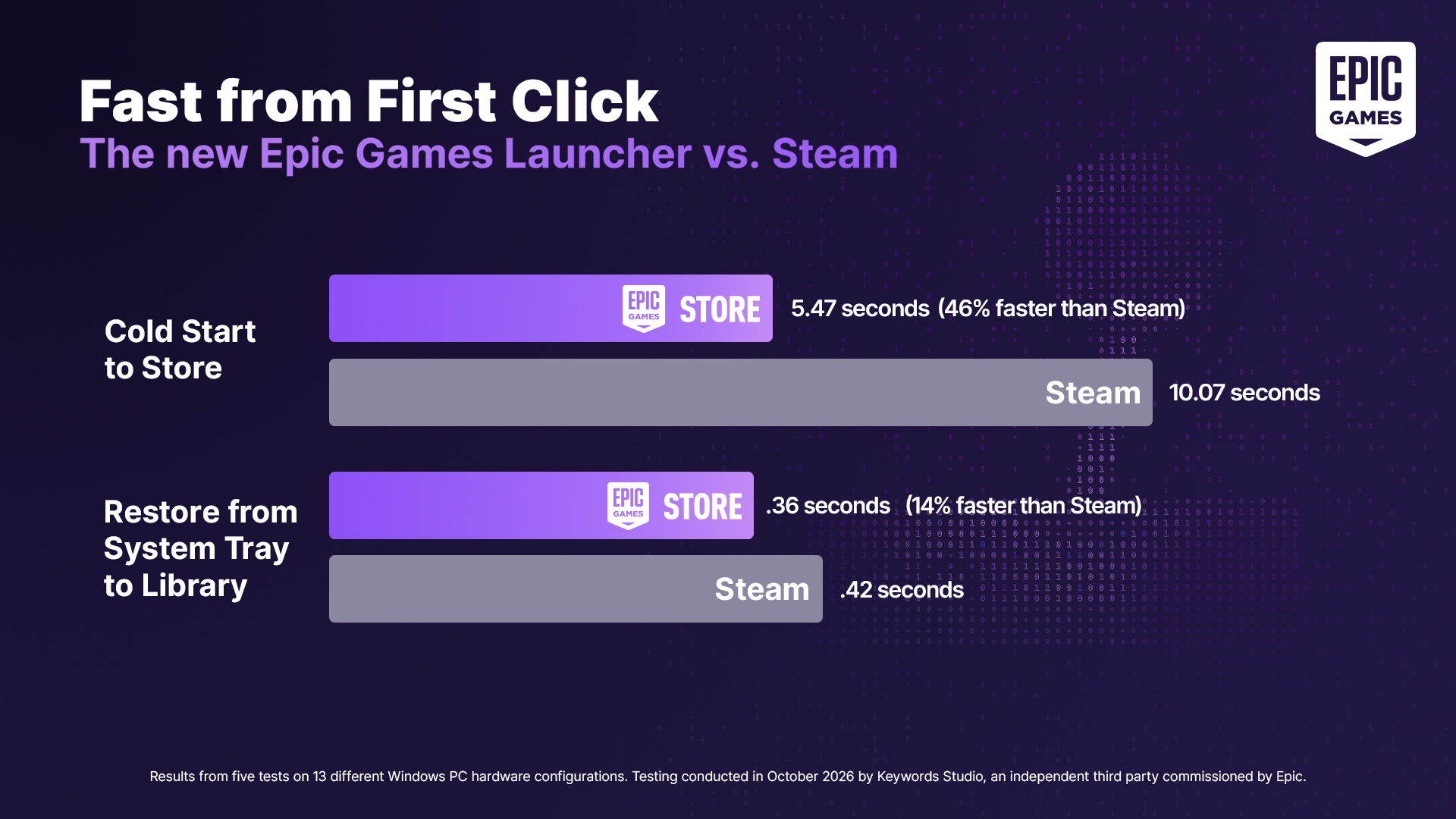
Without any flashy marketing campaigns or social media fanfare, Valve rolled out a routine Steam Client update containing a very simple line in the patch notes: “Improved Steam Client startup performance.”
Without any flashy marketing campaigns or social media fanfare, Valve rolled out a routine Steam Client update containing a very simple line in the patch notes: “Improved Steam Client startup performance.”
I spend like 30 seconds prior to booting to “train my RAM” or whatever. DDR5 feels like a massive step backwards to the 90s.
That sounds like it might be a hardware-specific problem, I occasionally have to wait before my PC starts booting properly, which is presumably RAM training or something, but that’s more of a “once in a couple months” thing, otherwise it just boots straight up?
Maybe, maybe not. I’ve spent a few hours plodding around, tweaked the settings in BIOS, upgraded the BIOS, tried different versions. Eventually I just left it because it’s not worth the time. It has definitely soured my view on DDR5 though. DDR4 didn’t need to be trained and worked just fine. What a nonsense feature.
I think you might be able to skip that if you want to - if you know at what timings your RAM works fine at (probably the values your PC uses while working, there are tools for looking that up), you can probably just set it in your BIOS and be done with it.
Are you sure? I experienced the same thing when going from DDR3 to 5 with the absurd boot time when it has to do “training”. I found no fix other than a setting where the BIOS does not do it every boot, but only every once in a whole. Well at least I have error correction built in finally.
Normally, the training is only relevant when new DDR5 is installed - that should really not occur every boot, but it might depending on BIOS settings. There should be a setting called “Memory Context Restore” or similar in the DRAM timing configuration section to stop this from happening (outside of your mainboard erroneously detecting your RAM as newly installed or the detected timings fail, which can either be a hardware issue, firmware bug or an incompability with the installed modules - or simply badly seated RAM or even stuff like EM interference or a noticable difference in room temperature - these things are easily disturbed)
Edit: A bit more detailed: There are basically 2 different tests that are done: a “quick” calibration (used by “Memory Context Restore”) and a “thorugh” test where it tries to get stable timings (the latter one being the “training”). When the quick calibration settings fail on POST (specifically, during training it looks at internal timing and voltage offsets/skews - these you can’t read out with normal software and are only partially reflected in whatever you get when you look at the current RAM configuration, e.g. a borderline tPHYRDL; MCR just applies the last settings and checks if they work), it falls back to the training phase. A fallback means that what maximum stable timings you get out of your Ram are not the same every time - the training sets timings, and once in a blue moon quick calibration with these settings fails, leading to a full recalibration. If you want to ensure that you don’t have to deal with this, you should be able to manually set your timings to limit the space the training can happen in, speeding up all of this up very much - training has less “area” to check and will also land in a space where you know your RAM is stable (pls only do if you know what you are doing!)